


How utilities read manual meters with a phone or handheld app: route lists, photo reads, validation at the meter, offline sync, and setup steps.
For US Utilities serving 3,000-100,000 meters and for operations team, billing team and utility managers. For Heads of Billing who own collections accuracy and revenue leakage.
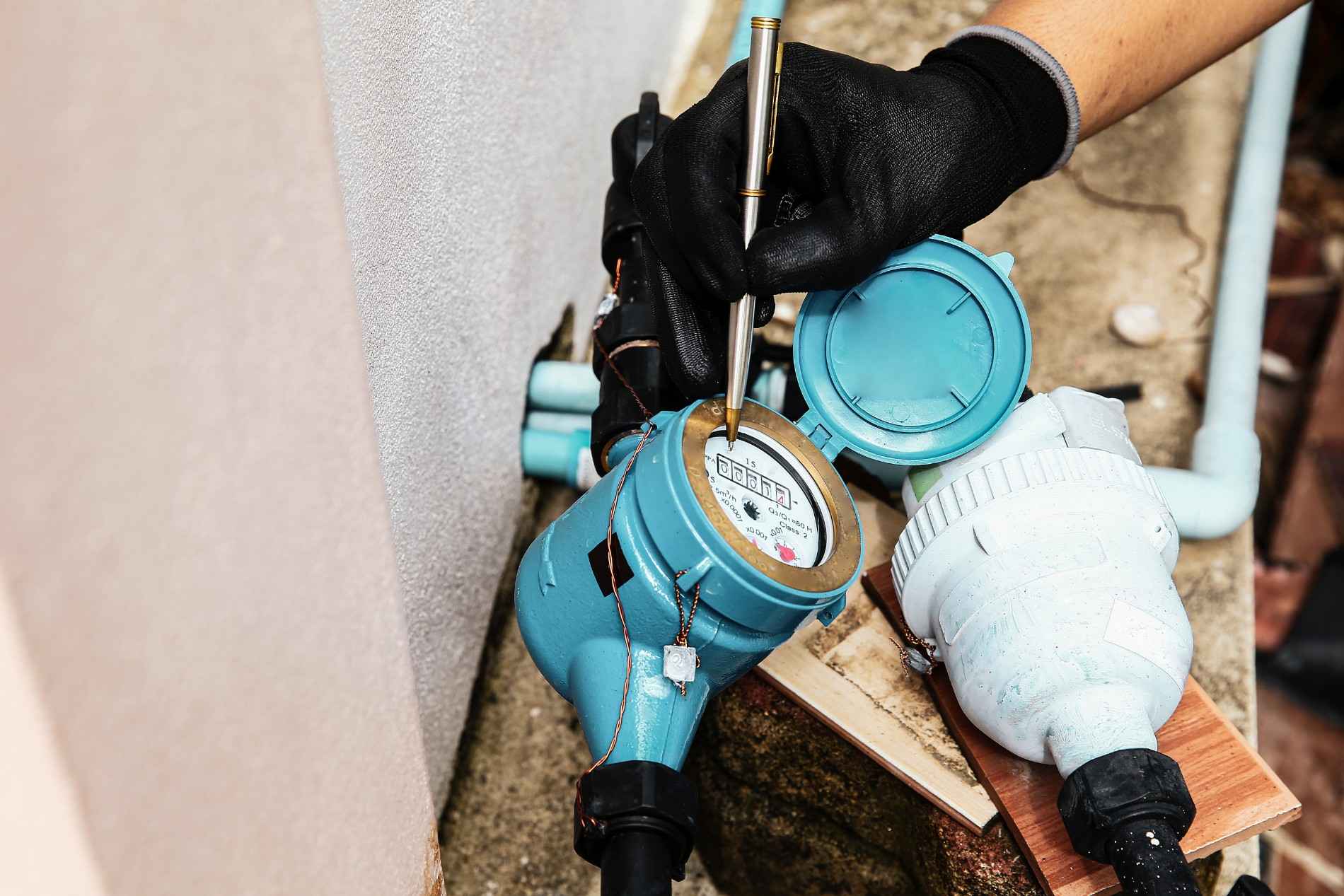
Mobile meter reading is the practice of reading manually read meters with a smartphone or handheld app instead of a paper route book. The reader follows a digital route, enters or photographs each reading, and the app checks the value against the meter's history before the reader moves on. Reads sync to the billing system as soon as the device has a connection, so the office validates exceptions the same day instead of re-keying a stack of route sheets at the end of the cycle.
Most small and mid-sized utilities still have meters that someone has to walk up to and read. Some have not started AMI. Others are partway through a rollout and run two read paths at once. For those meters, the choice is not between manual reading and automation. It is between manual reading on paper and manual reading on a device that catches errors at the meter and sends clean data to billing.
This guide covers what mobile meter reading is, how it compares to drive-by AMR and AMI, what a mobile meter reading app should do, and how to set one up. The reads it produces feed directly into SMART360 meter data management, which validates every read type in one place before it reaches a bill.
Mobile meter reading replaces the paper route book with an app on a phone or rugged handheld. The meter reader still visits each meter. What changes is everything around the visit: how the route is delivered, how the reading is recorded, and how fast it reaches the office.
On paper, a reader writes a number in a book, and someone in the office types it into the billing system later. Every read passes through two sets of hands, and errors surface only when a customer calls about a bill. With a mobile app, the reader records the value once, the app compares it to past consumption on the spot, and a photo of the dial can travel with the reading as evidence.
"Mobile" is used in two ways in metering. Vendors of radio-equipped meters sometimes call vehicle-based collection "mobile AMR," where a truck drives the route and picks up radio signals. This guide uses mobile meter reading in the more common field sense: a person reading a meter with a handheld device. The table shows how the methods differ.
Mobile meter reading is the lowest-cost step away from paper because it changes no hardware at the meter. For utilities that have already installed radio endpoints, the guide to automatic meter reading for water utilities covers how drive-by and walk-by AMR collection works.
A mobile meter reading app is more than a digital route sheet. The capabilities below decide whether it removes work from the office or just moves the paper onto a screen.
Can a reader finish a route with no signal?
Meter pits, basements, and rural roads are where coverage is weakest, and they are also where meters live. An app that needs a live connection to save a reading will fail on the routes that matter most. Offline recording with automatic sync when the device reconnects is a requirement for utility field work.
The largest gain from mobile meter reading is moving validation from the office to the meter. On paper, a high read is discovered days later, and fixing it means sending someone back out. In an app, the reader gets the warning while still standing in front of the dial.
Field checks catch the obvious errors. The office still needs a second layer that compares every read across the whole cycle before billing. That is the role of a meter data management system, covered in the guide to meter data management system benefits.
Does the app stop a bad read before it leaves the meter?
Ask a vendor to show what happens when a reader enters a value that is double the meter's normal usage. If the app accepts it silently, every error still lands on the billing team.
Moving from paper to mobile meter reading follows a predictable sequence. The goal is clean reads in billing, not just an app on every phone.
Few utilities switch every meter at once. A California water district with about 8,000 meters runs half its fleet on AMI and reads the other half by hand, and both read paths feed two bill runs a month. A 3,000-connection water utility uses a smartphone reading app alongside separate billing and payment tools. At the small end, a Colorado HOA-owned water system with 170 meters reads by hand twice a year. Each one needs manual reads and automated reads to reach billing the same way.
The risk in a mixed fleet is two separate processes: one for manual reads and one for automated reads, each with its own exports and checks. Mobile meter reading works best when all read types land in one validation queue. For utilities planning the next step, the AMR to AMI upgrade guide covers how to sequence the move from collected reads to networked meters.
Do all your read types land in one validation queue?
If manual reads go into one tool and AMI reads go into another, the billing team reconciles two sources every cycle. One queue for every read type removes that step.
SMART360 includes native iOS and Android apps that work offline in the field and sync when the connection returns. Photo, manual, and AMI reads are all validated in one place, and photo reads are validated automatically at capture, so a read taken in the field reaches billing without being typed in again. Meter reads, billing, and work orders share one database, so a meter that needs a follow-up visit is handled on the same account record the billing team sees.
At Island Water Authority, meter reads captured in the field go straight into billing. The utility reports 38% faster meter-to-bill and 99% billing accuracy since moving to SMART360. At a much larger scale, Bynry ran meter reading and billing automation for a South Asian electric distribution utility with 133,000 accounts for seven years with zero platform failures.
Mobile meter reading is reading manually read meters with a smartphone or handheld app instead of a paper route book. The reader follows a digital route, enters or photographs each reading, and the app checks the value against the meter's history before the reader moves on. Reads sync to the billing system when the device has a connection.
No. Mobile AMR usually means a vehicle collecting radio signals from radio-equipped meters as it drives a route. Mobile meter reading, as most utilities use the term, means a person reading a standard meter with a handheld app. It needs no new hardware at the meter.
A utility-grade app should. Meter pits, basements, and rural routes often have weak or no coverage. The app should save reads and photos on the device and sync them automatically when it reconnects, so a route never stops because of signal.
It removes the second round of data entry and moves validation to the meter. The reader records the value once, the app flags reads far outside the meter's history while the reader is still on site, and a photo travels with the read. Fewer errors reach billing, and disputes can be checked against the photo.
Yes, for the meters that will be read by hand during the rollout. Most AMI projects take years and leave part of the fleet on manual reads. A mobile app keeps those reads clean, and the meter record cleanup it requires also prepares the data for AMI.
Mobile meter reading is the most direct way to improve read quality on meters that still need a person to visit them. It removes paper, catches errors while the reader is still at the meter, and gets reads into billing the same day. The best results come when manual reads and automated reads share one validation process and one record, which is how reads move through the full meter-to-cash process. To see how SMART360 validates every read type before it reaches a bill, explore SMART360 meter data management.
Bynry Inc.
8 The Green STE.R,
Dover, Kent,
Delaware 19901
+1 732-630-0285
Bynry Inc.
Serene Tower, Pakharbaug
Pune, Maharashtra 411021
+91 93252-51217